This is not an official website, this website is for informational purposes only.
How to Use Tim Hortons Points
Earning and using Tim Hortons points is a smart way to enjoy free coffee, snacks, and meals while saving money at your favorite Canadian coffee chain.
With every dollar you spend, you collect points that can be redeemed for various menu items through the easy-to-use Tim Hortons app.
Whether you want to redeem points for a hot beverage, breakfast sandwich, or tasty treats, understanding how to use Tim Hortons points helps you get the best value from your rewards.
This guide will walk you through how to earn, track, and redeem your points both online and on the app, so you never miss out on great deals, special offers, and freebies at Tim Hortons.
Tim Hortons rewards points value is maximized when you use them wisely, taking advantage of bonus points and the points menu to get more delicious food and drinks for less.
This simple and convenient points system lets you enjoy Tim Hortons treats while saving money every time you visit or order online.
What Are Tim Hortons Points?
Tim Hortons points are rewards you get for shopping at Tim Hortons. Think of them like stickers you collect the more you have, the more free food or drinks you can get. Points are linked to your Tim Hortons account or the app, so you don’t lose track of them.
How to Earn Tim Hortons Points
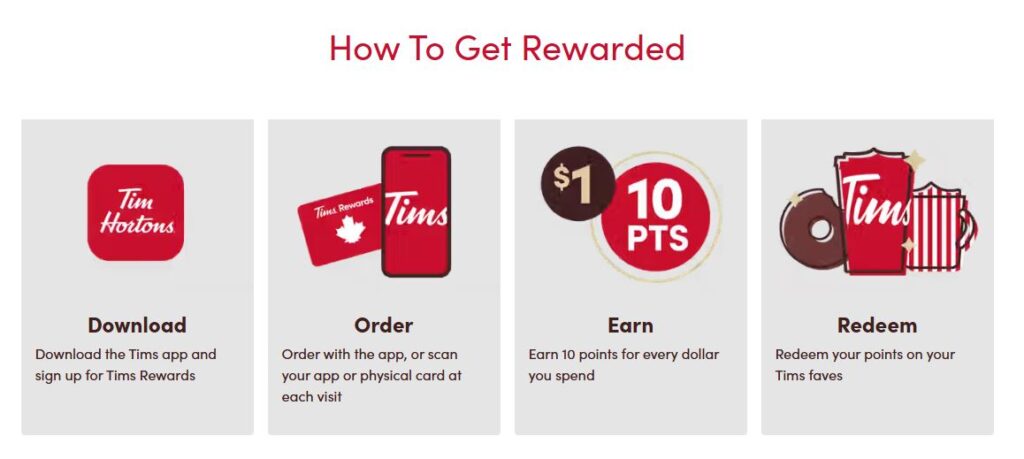
Every time you pay at Tim Hortons, scan your Tim Hortons Rewards card or open the app and use the digital card.
You earn 10 points for every $1 spent on food, drinks, and merchandise (before tax).
Order and pay using the Tim Hortons app or website to earn points more easily.
Sometimes, Tim Hortons runs special promotions that give you bonus points if you buy certain items or order through the app.
How to Track Your Tim Hortons Points
Open the Tim Hortons app and check your points on the home dashboard.
Log in to your account on the TimHortons.ca website to see your points balance.
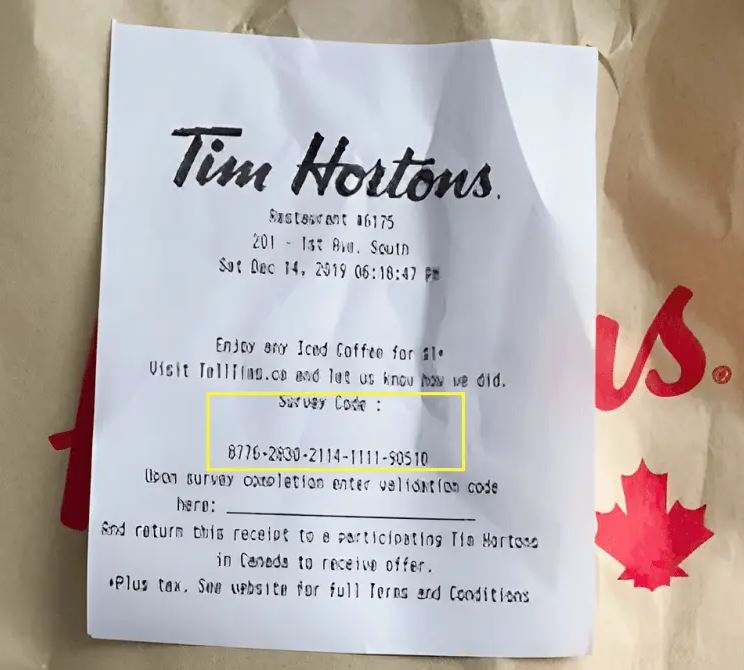
Look at your receipts after purchases; some will show how many points you earned and your current total.
How to Redeem Tim Hortons Points: Step-By-Step
Open the Tim Hortons app or website and go to the Rewards or Points section.
Look at the Tim Hortons points menu, which shows what food or drinks you can get for different point amounts (for example, a donut may cost 340 points, coffee 400, or a sandwich 1,250).
Choose what you want to redeem with your points and add it to your reward order.
When you get to checkout, scan your digital Tim Hortons Rewards card or basket to redeem the points right away.
If your points are enough, your reward will be free or discounted based on the points you use.
What Can You Redeem Your Tim Hortons Points For?
Hot or iced coffee, tea, and hot chocolate.
Donuts, Timbits, muffins, and other baked goods.
Breakfast sandwiches, wraps, bowls, and lunch combos.
Sometimes special or limited-time items are available too.
Understanding Tim Hortons Rewards Levels
As you earn more points, you can move up through rewards tiers, from New Member to Bronze, Silver, and Gold.
Higher levels mean extra perks like birthday freebies, special offers, or early access to new menu items.
Move up tiers by collecting points and taking advantage of promotions.
Tips to Get the Most from Your Tim Hortons Points
Always scan your Tim Hortons Rewards card or use the app when you buy anything.
Use the app for ordering and look out for bonus point offers.
Save your points for bigger rewards for better value (getting a sandwich free is better than just a small coffee).
Consider using the Tims Mastercard if you have one to earn points faster.
Keep track of your points regularly so you don’t miss out on rewards or lose points to expiration.
Common Questions
Can I use Tim Hortons points both online and in-store? Yes, you can redeem points either by scanning your app in-store or applying them during online checkout.
Do Tim Hortons points expire? Points usually expire if unused for 12 months, so use them regularly.
How many points do I need for free items? Around 340 points for donuts and up to 1,250 for bigger meals.
Can I share or transfer my points? Points are typically tied to your account and can’t be shared.
How do I join Tim Hortons Rewards? Download the app or sign up on the Tim Hortons website, then start earning points with each purchase.
FAQs – How do I use my points?
How do I use Tim Hortons points?
You use Tim Hortons points by redeeming them through the Tim Hortons app or website. Browse the rewards menu, select what you want, and apply your points at checkout in-store or online.
How do I earn Tim Hortons points?
Earn points by scanning your Tim Hortons Rewards card or using the app when you buy food or drinks. You get 10 points for every $1 spent before tax. Bonus points come from special promotions.
Can I redeem Tim Hortons points online?
Yes, you can redeem points when ordering on the Tim Hortons website or the app by selecting rewards and applying points to your order before paying.
How many points do I need for free coffee?
You typically need about 400 Tim Hortons points to redeem a free brewed coffee or hot beverage.
Do Tim Hortons points expire?
Yes, points usually expire 12 months after they are earned if you don’t use them. Be sure to redeem points before they expire.
Can I use Tim Hortons points in-store?
Yes, show the Tim Hortons Rewards app or your digital rewards card to the cashier to scan and redeem your points for free items in-store.
What can I get with Tim Hortons points?
You can redeem points for coffee, tea, donuts, Timbits, sandwiches, wraps, and other menu items listed in the rewards catalog.
How do I check my Tim Hortons points balance?
Check your points balance anytime in the Tim Hortons app, on your online account, or on some receipts after purchases.
Can I combine points from multiple accounts?
No, Tim Hortons points are tied to your individual account and cannot be shared or combined with others.
How do I join Tim Hortons Rewards?
Download the Tim Hortons app or sign up on the TimHortons.ca website to create an account and start earning points with every purchase.
Conclusion
Using your Tim Hortons points is simple and fun. By earning points every time you buy your coffee or snacks, checking your balance on the app, and redeeming points for tasty freebies, you save money while enjoying your favorite treats.
Start collecting points today and treat yourself to free Tim Hortons goodies sooner than you think!